Backup your data with RunBudgieBackupFile
Updated 7th September 2026 by Simon Fearby · Budgie Backup (alpha)

Open a plan file and run the backup, using shadow copies so locked files still copy.
Part of the Budgie Backup suite. One installer covers all six apps.
Download Budgie BackupRun a Budgie Backup
This is the app that does the work. Open your Budgie Backup file, and it checks everything before it touches a byte. Do the folders still exist? Is there room? Is the drive plugged in?
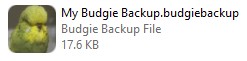
Double click the Budgie Backup file or open it in Run Budgie Backup File Applicatione
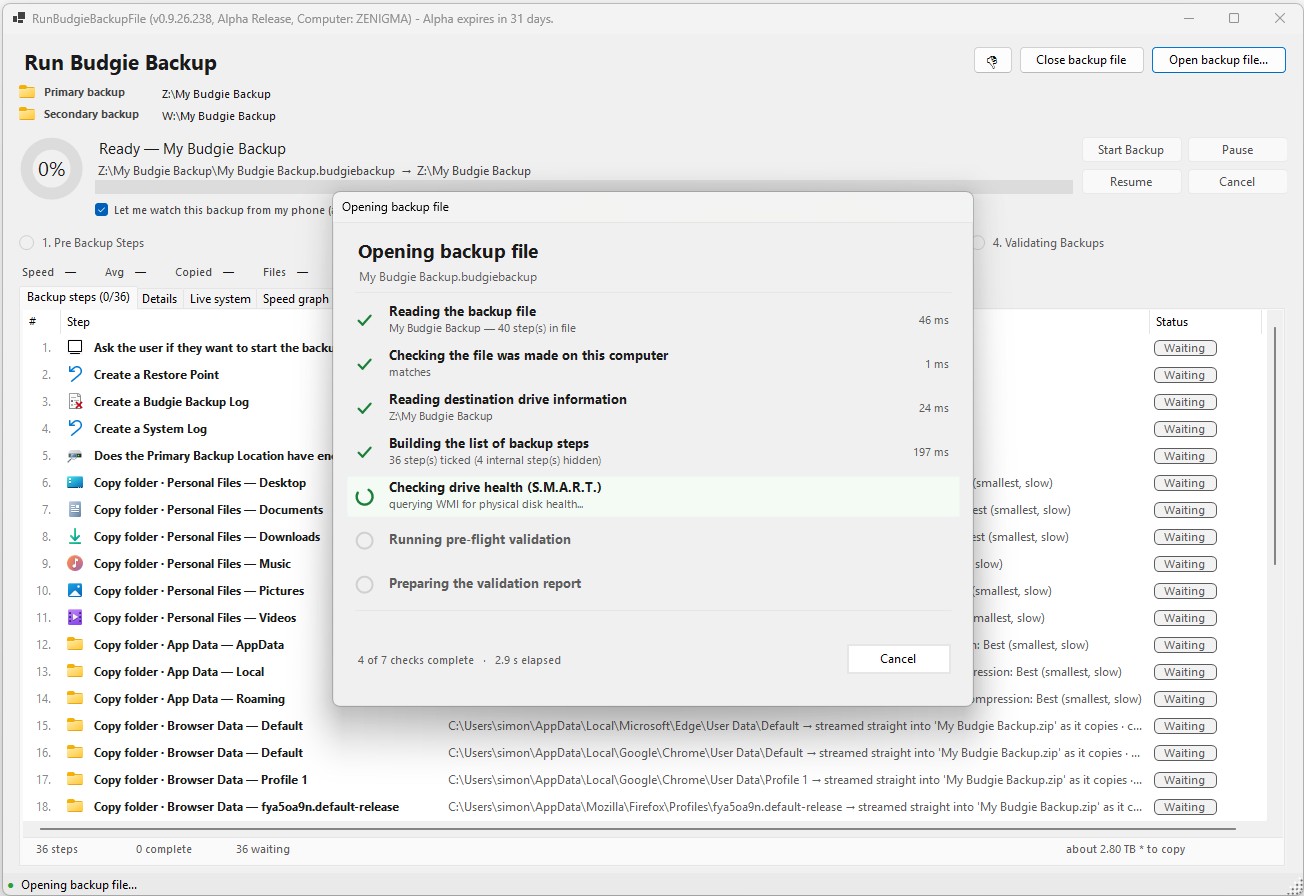
All selected file(s) sand folder(s) are loaded and the backup state checked.
It tells you up front, not halfway through. Then it runs. It creates a Windows restore point and a volume shadow copy, so open files copy cleanly. Every file and folder you selected gets copied.
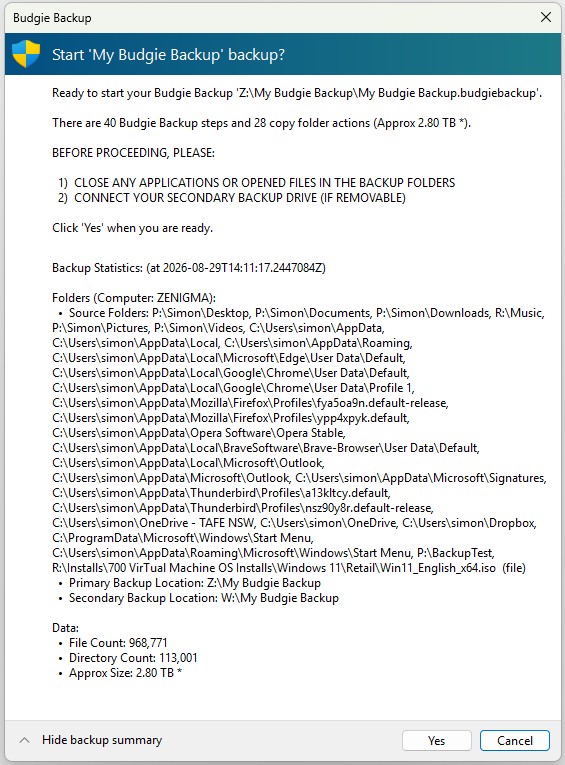
Pre Backup Ecists Check
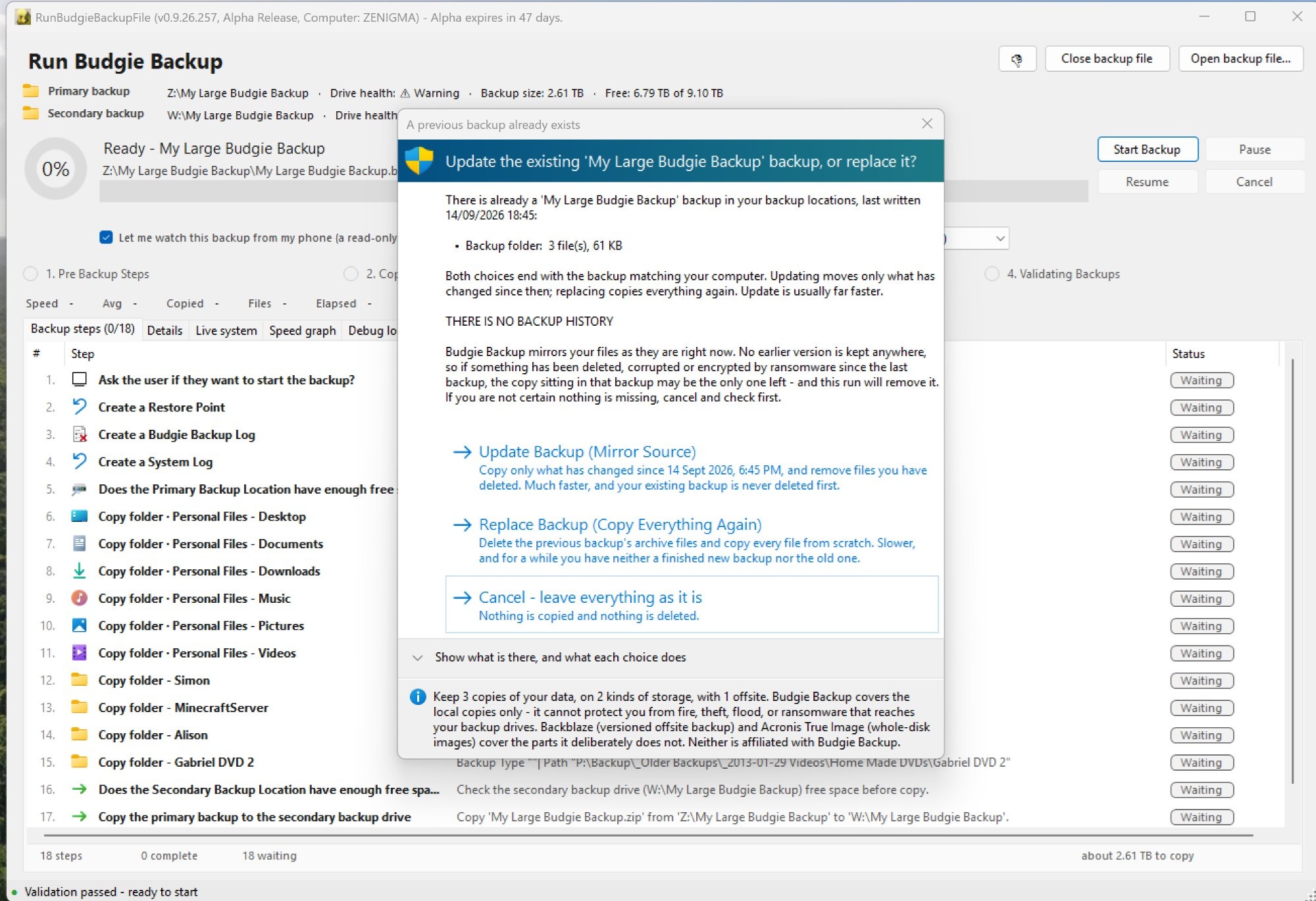
Pre Backup Scan
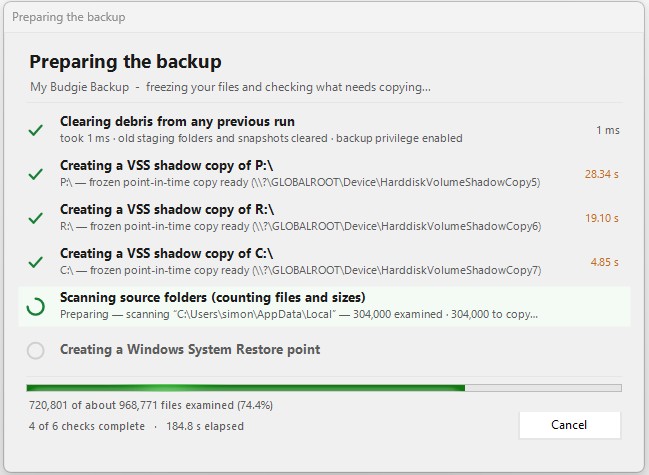
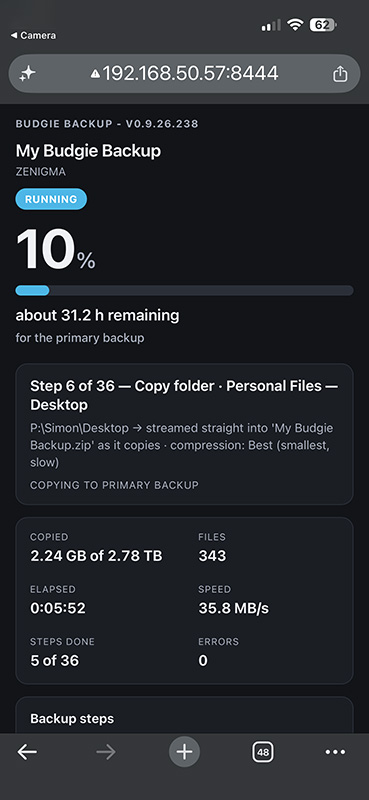
Optional: Monitor the Backup from your phone
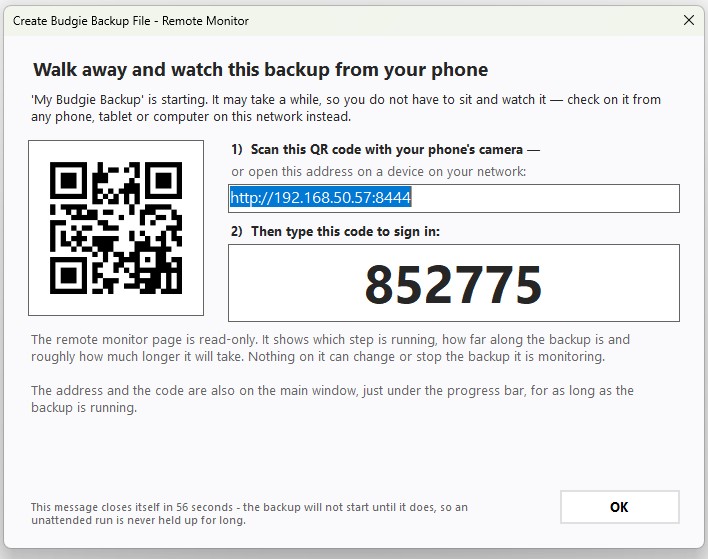
From your Phone, Tablet or other PC, access the randomised URL and enter the pin
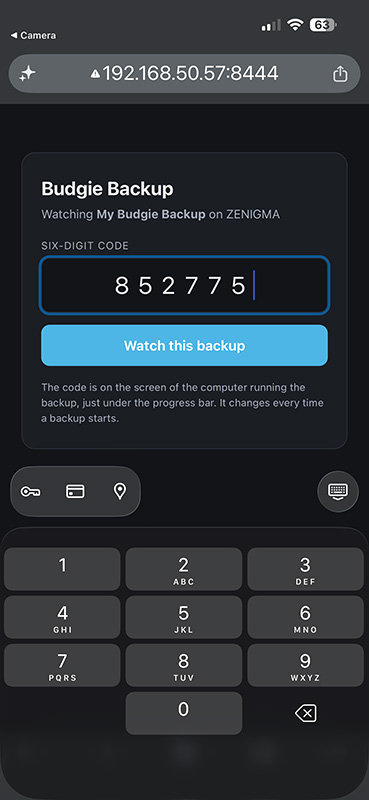
Watch Backup Steps
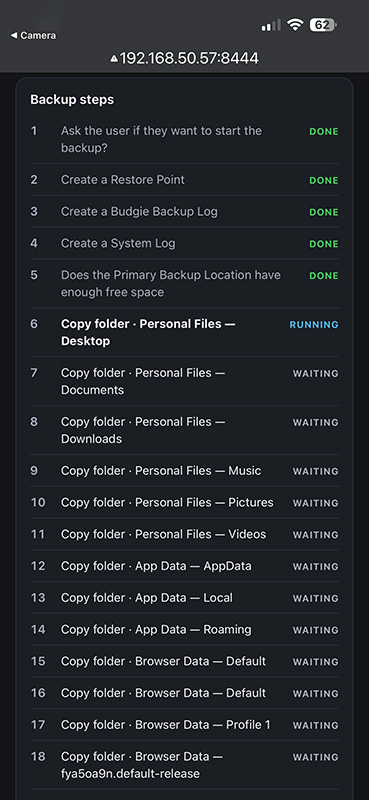
Keep an eye on the backup while on Wifi (No data leaves your network while monitoring)
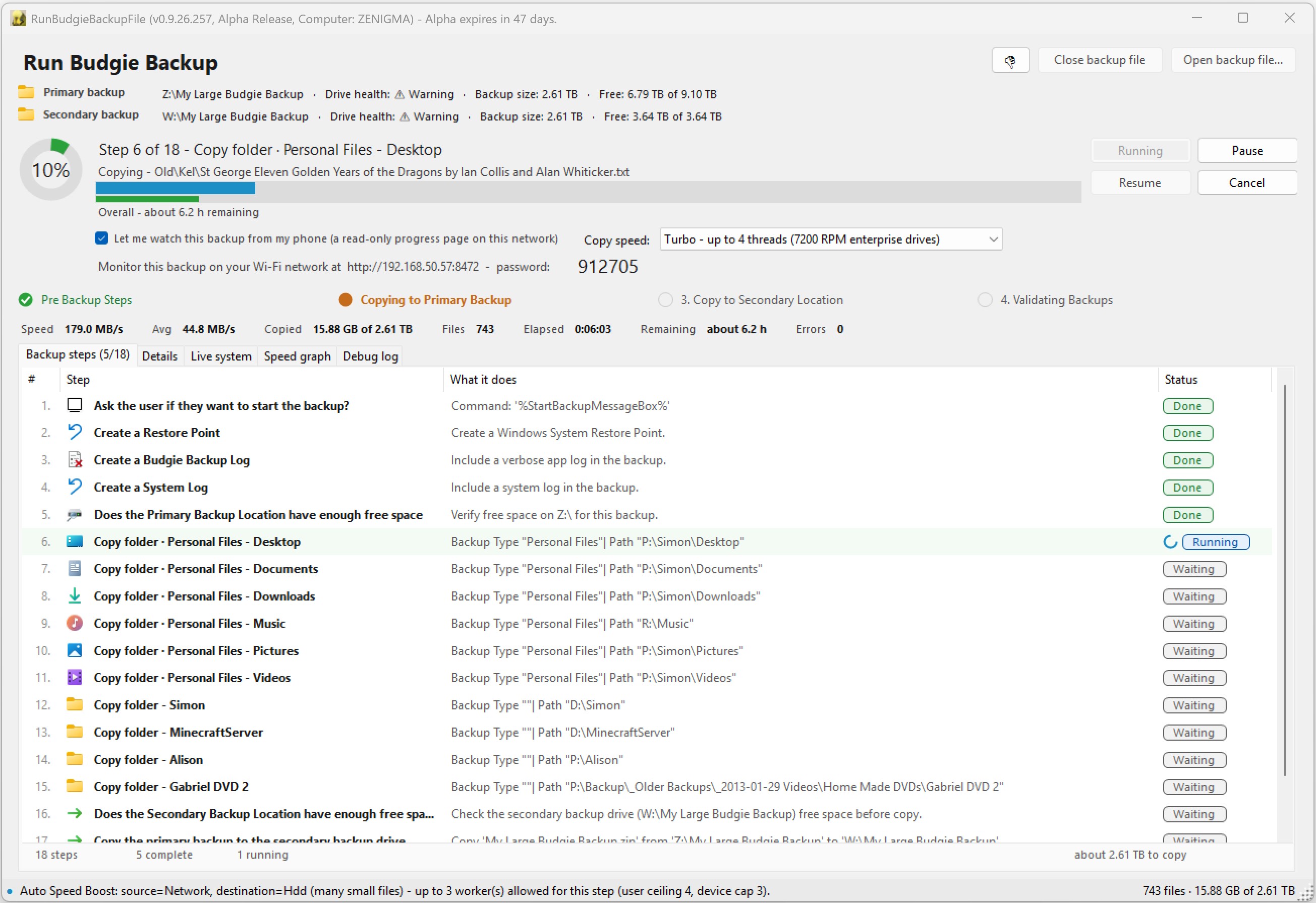
On you PC you can monitor the running backup.
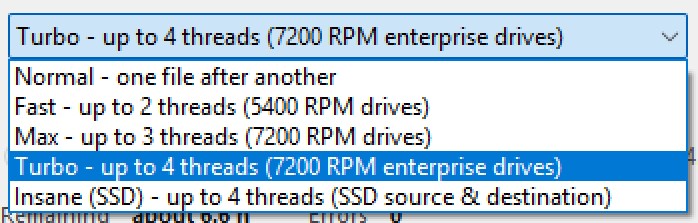
Choose the Copy Threads.
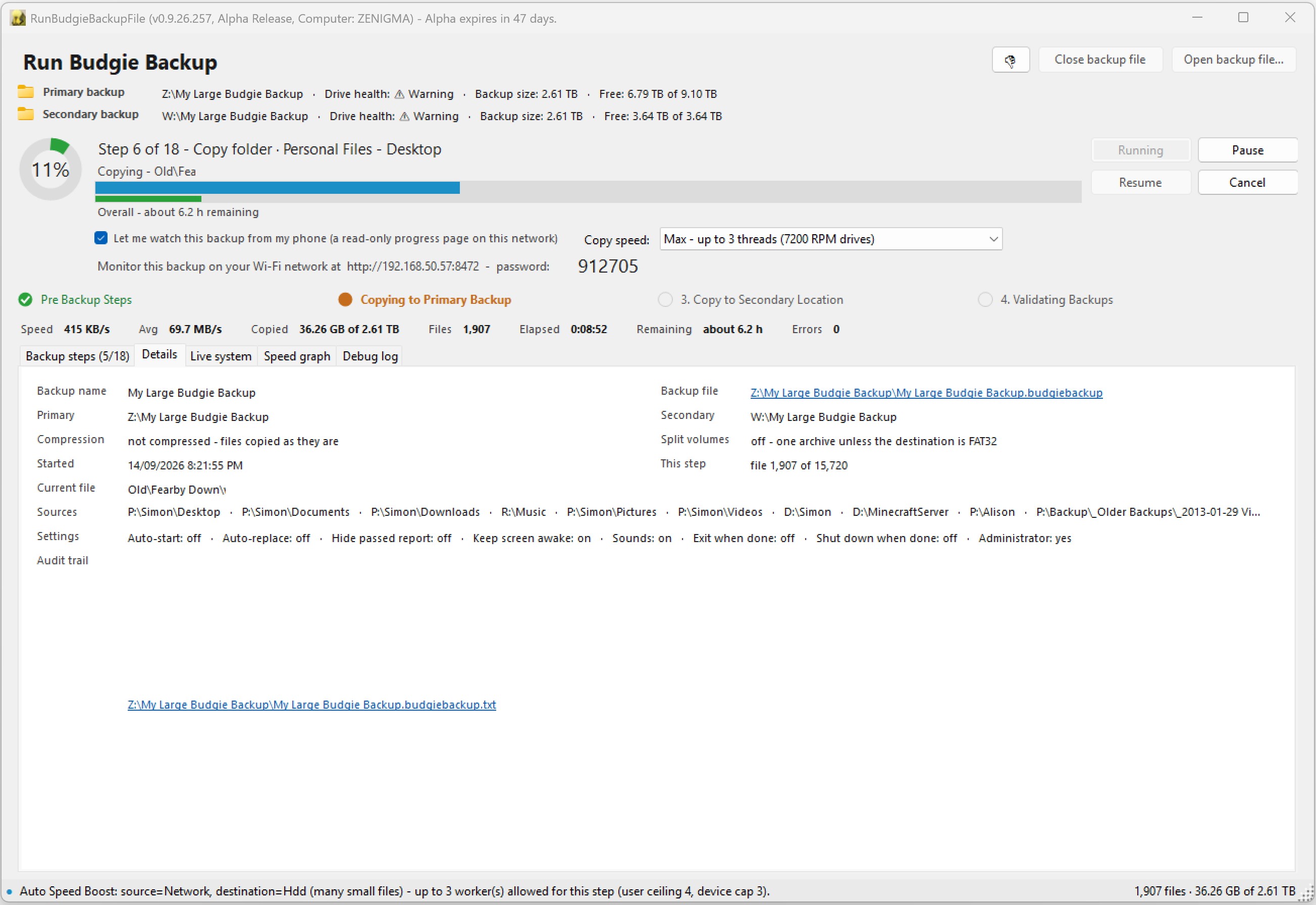
Backup Running - Details Tab.
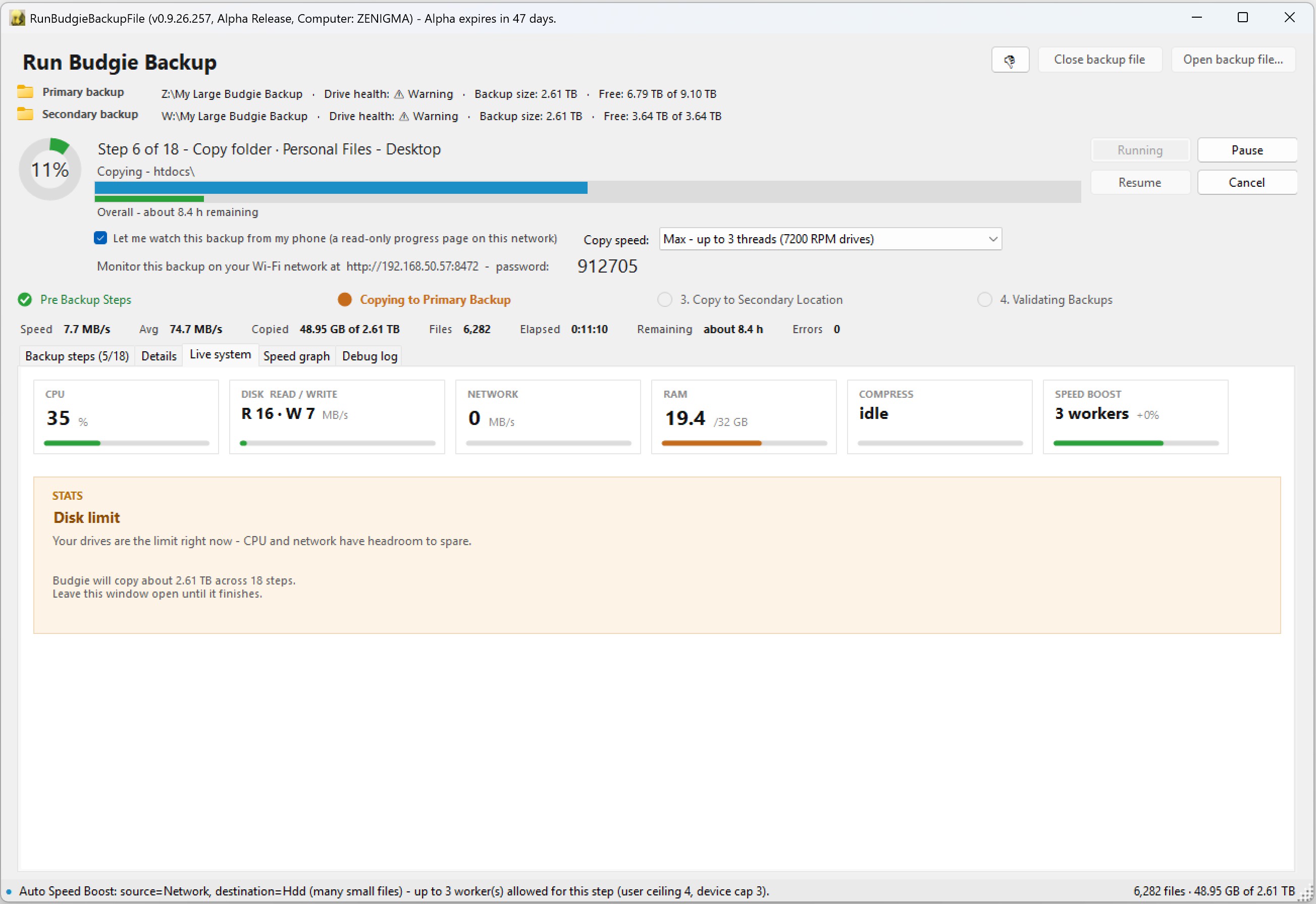
Backup Running - Live System Tab.
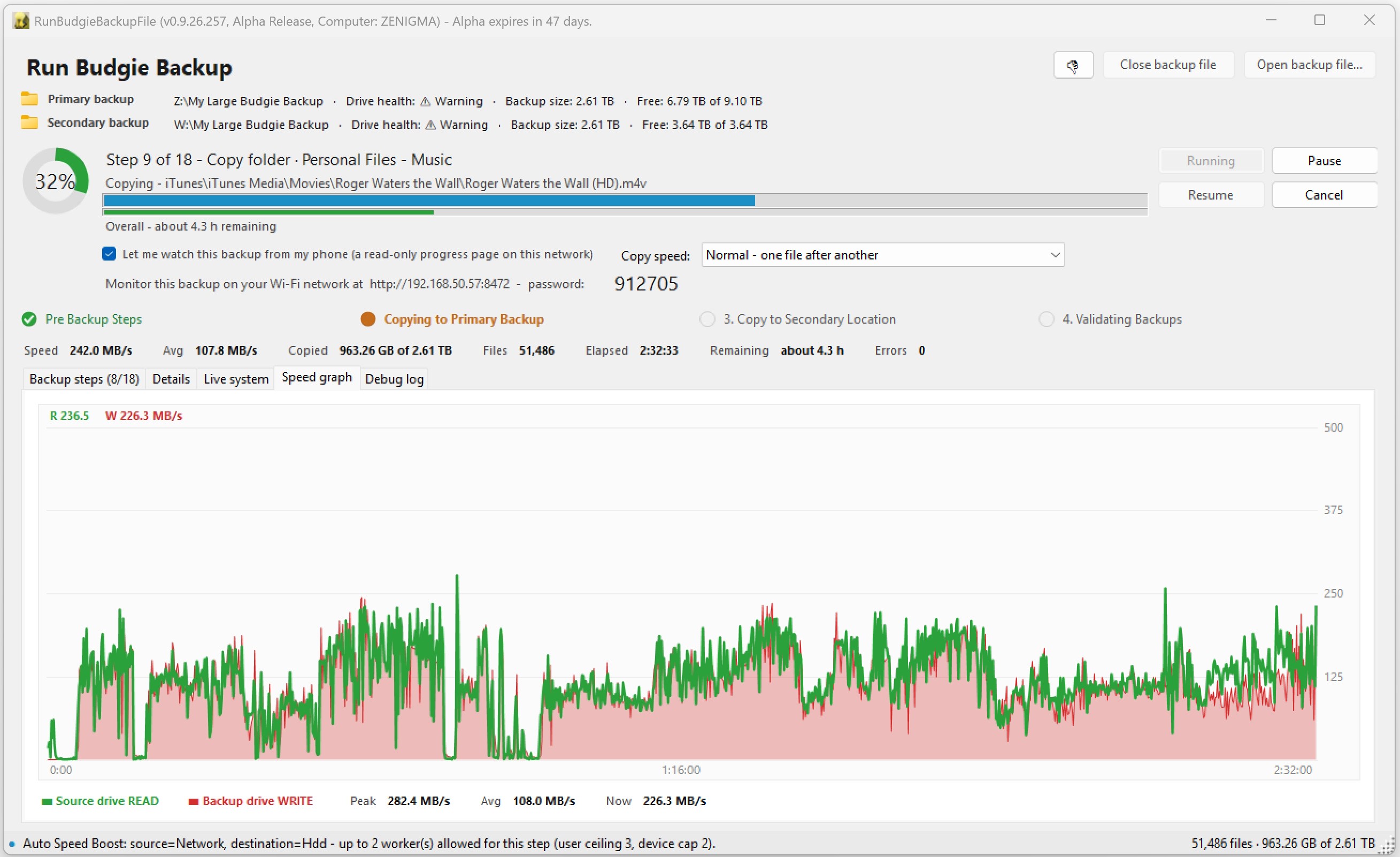
Backup Running - Speed Tab.
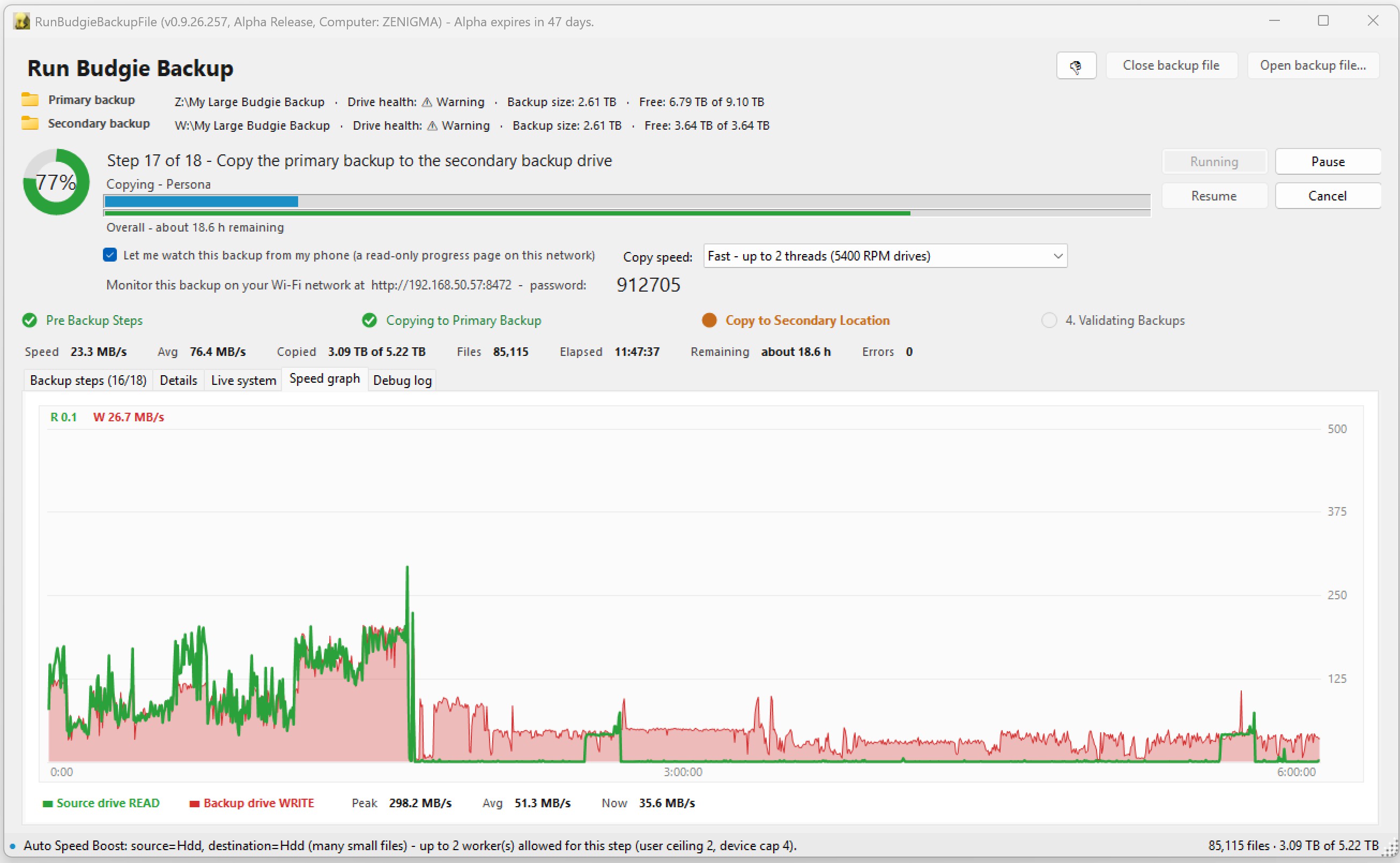
Backup Running - Speed Copyng to a slow Secodary Drive
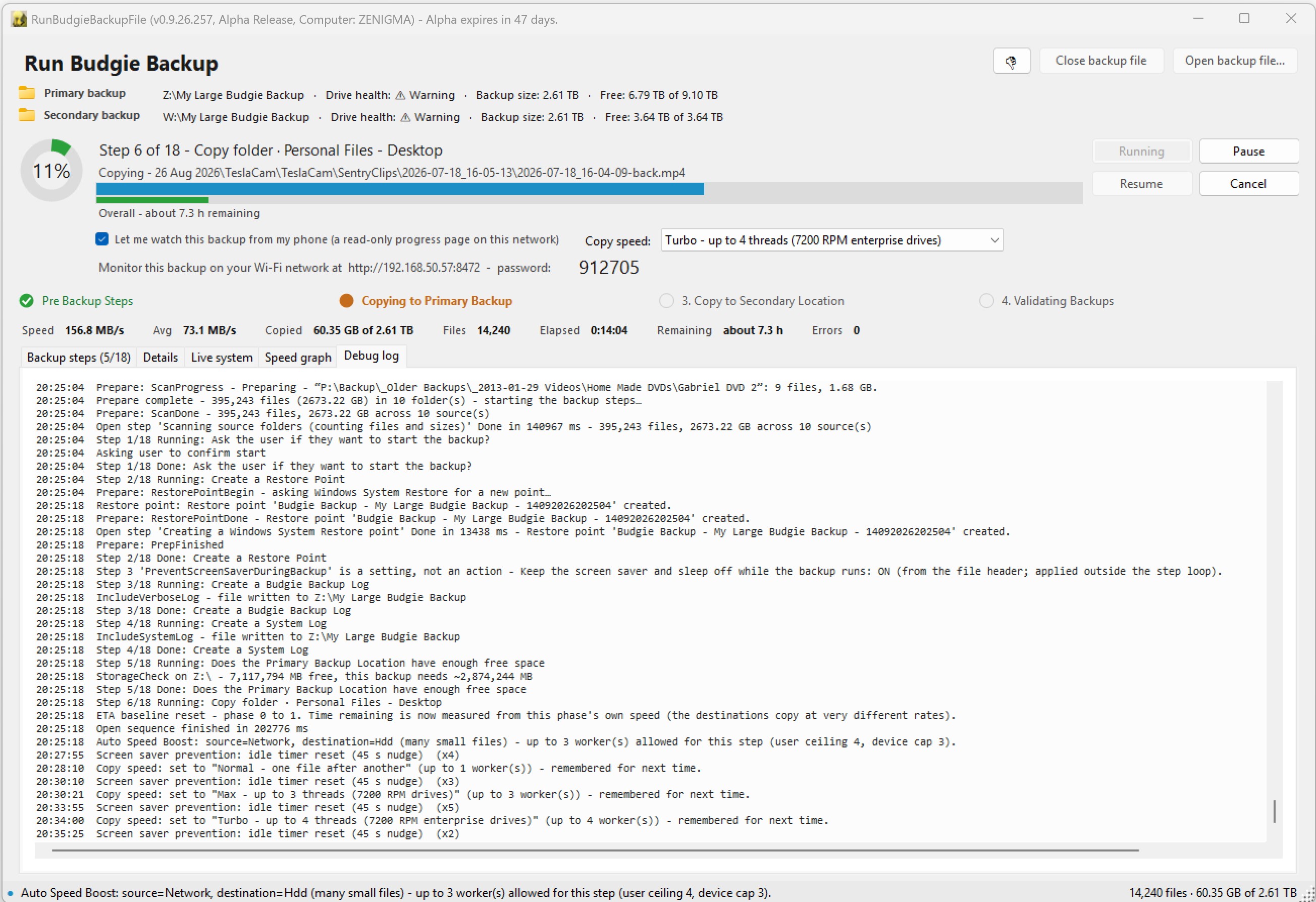
Backup Running - Debug Log.
Todo: Images of the Backup when complete
You can watch the progress, and the estimated time remaining, on screen, in the screen saver, or on your phone.
The rest of the suite
Help Test Early Builds
This is a work in progress, features will change.
If you wan't to help test Alpha builds reach out here: alpha-test-request-budgiebackup@fearby.com or reach out and suggest a feature here: budgiebackup@fearby.com.
Buy Me a Coffee and support the development.
Return Home